Blur Effect [Pivot][Effects]

Started by: AzApple | Replies: 17 | Views: 11,049

AzApple

Posts: 0
Joined: Dec 2025
Aug 25, 2007 1:17 AM #54209
Okay. Here is how you get a Blur Effect In Pivot.

What you Will need:

Adobe ImageReady CS2
Pivot 3 ONLY (Did not work with other Versions of Pivot.)


How to Blur your Frames

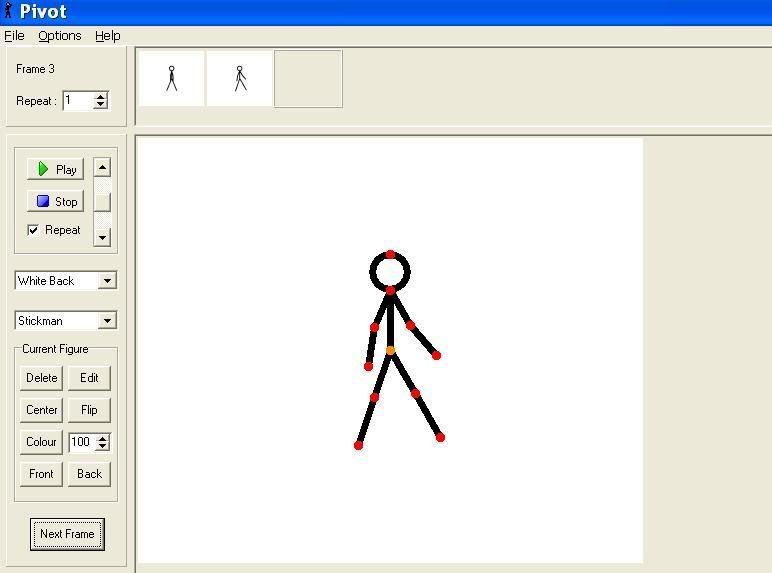
Step 1. Make an Anim or open one that you have created
Image

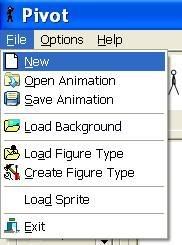
Step 2. Click 'File'
Image

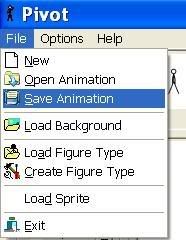
Step 3. Click 'Save Animation
Image

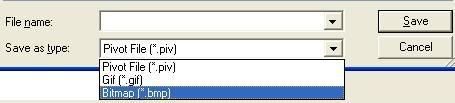
Step 4. Name It, Put the File Type as A Bitmap (.BMP) And Click Save
Image

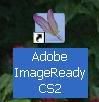
Step 5. Open Adobe ImageReady CS2
Image

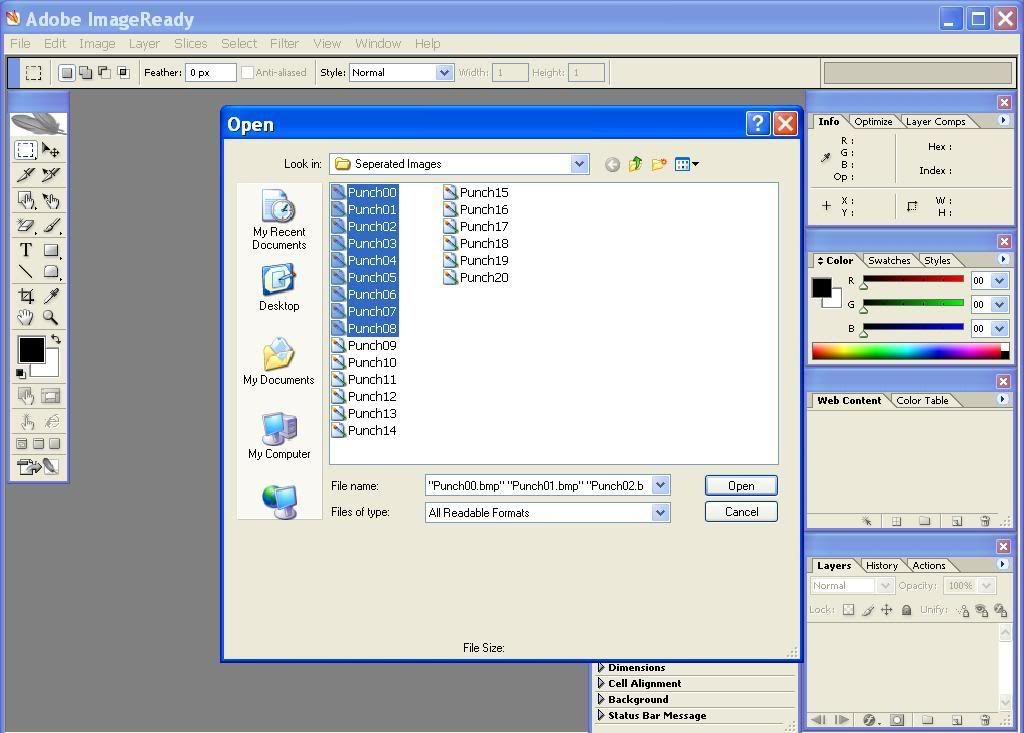
Step 6. Once Image Ready is up, Click File, Open, and Open the BMP Frames that You want blur In
Image

Step 7. When your BMP Picture Is opened it should look like below:
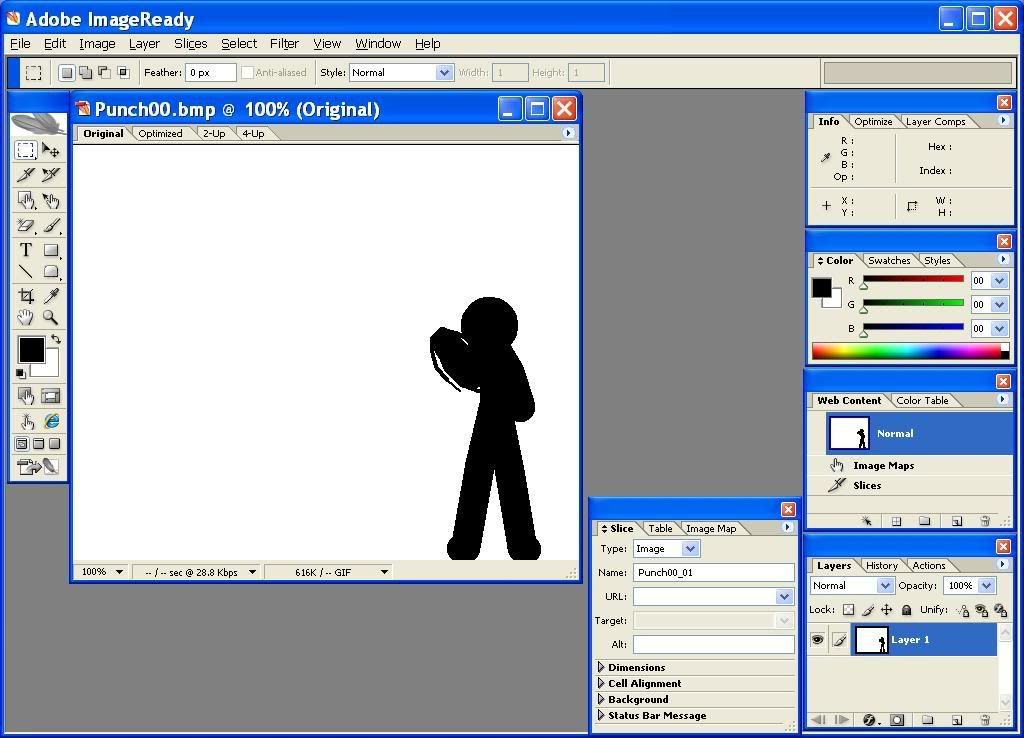
Image

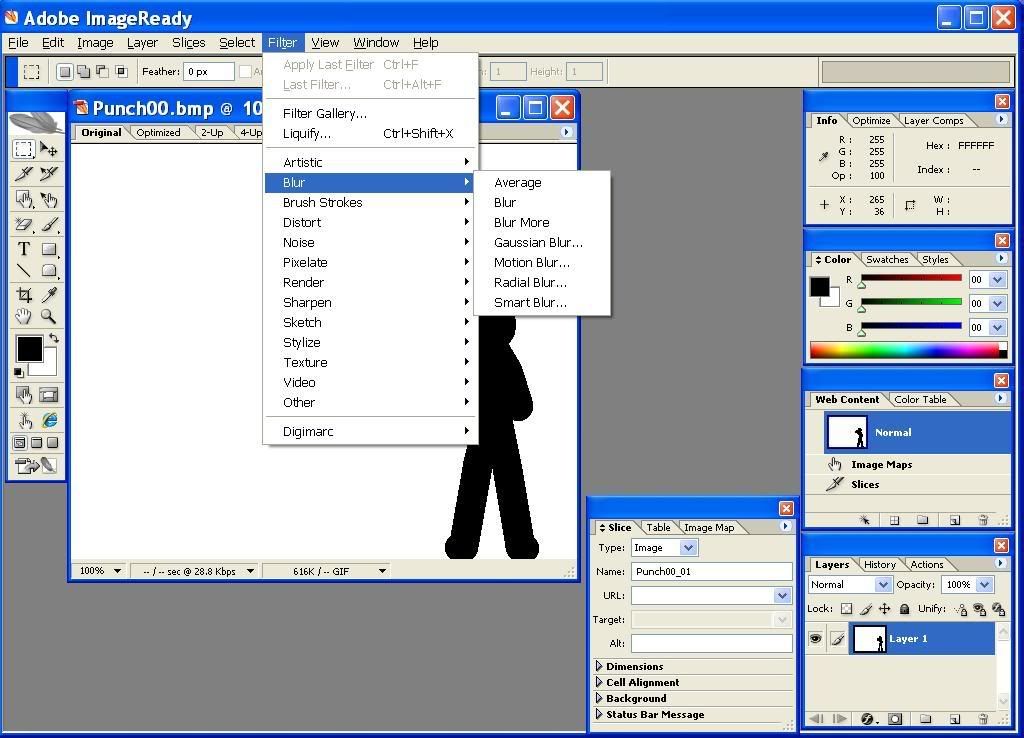
Step 8. Once your BMP Picture is Opened like shows above, Click Filters
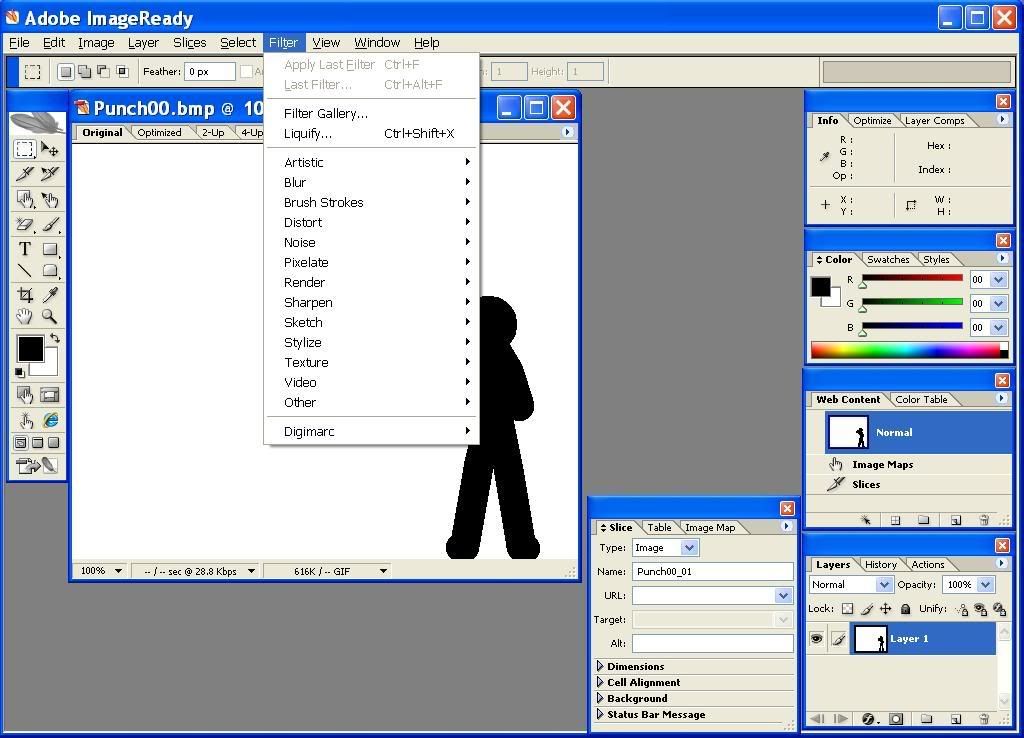
Image

Step 9. Click Blur
Image

And then Just experiment with the Blurs. To Save the BMP just click File, Export, Original Document... and Then when it says Save File As: Click .BMP (Bitmap). Save it in the place you saved the original.
It pretty much explains it self.

You can get this as a Final Effect:

Image


How To get your Blur Frames in Pivot

Step 1. Click 'File'
Image

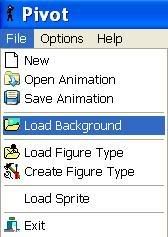
Step 2. Click 'Load Background'
Image

Step 3. Click the Frame(s) That are Blurred and click Open
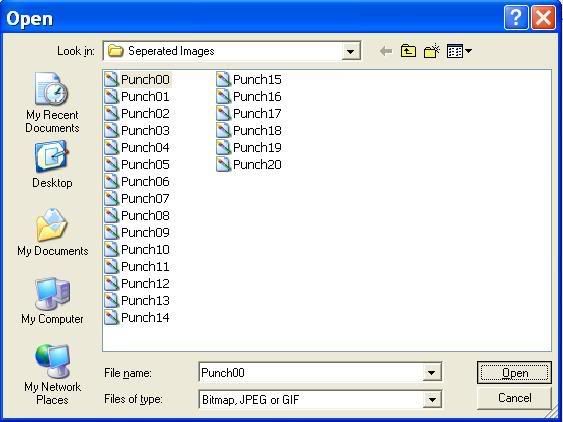
Image

Step 4 Then you should see something like this (It doesn't have blur)
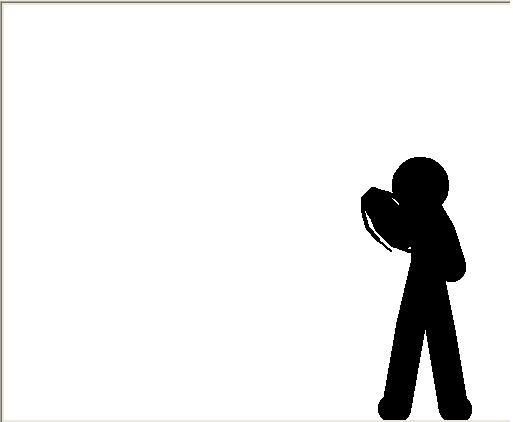
Image

Step 5. Once you get a Blur frame in Pivot. Repeat Step 3 to get more.

Also See:
For Ifranview or Adobe Photoshop
http://www.stickpageportal.com/forums/showthread.php?t=35991

THIS WAS MY FIRST TUT!
~AzApple
shouten
2

Posts: 208
Joined: Jul 2007
Rep: 10

View Profile
Aug 25, 2007 2:12 AM #54231
ummm wtf you dont show the final effect
Überschall
2

Posts: 3,607
Joined: Sep 2006
Rep: 10

View Profile
Aug 25, 2007 2:14 AM #54233
What's that Desert Eagle in yoru sig man? Is that mine?


A tut like this has already been made. It's not bad or anything, but you could show the final effect, yeah.
Gavel
2

Posts: 6,675
Joined: Oct 2006
Rep: 10

View Profile
Aug 25, 2007 2:22 AM #54235
Um, yeah the thing is, most people who have Pivot don't usually have Imageready or Photoshop. The people who get Pivot usually get it because it's free and they can't afford Flash. Thus coming to the conclusion that they can't afford Imageready or any other Adobe product.

It's an okay tut, but you neglected to show what it looks like in the end. Thus not letting people see how it will turn out.
AzApple

Posts: 0
Joined: Dec 2025
Aug 25, 2007 2:31 AM #54240
Okay I added a final effect just give a sec to load
Überschall
2

Posts: 3,607
Joined: Sep 2006
Rep: 10

View Profile
Aug 25, 2007 2:31 AM #54241
PhotoFiltre is a freeware program that has a blur in it.
AzApple

Posts: 0
Joined: Dec 2025
Aug 25, 2007 2:35 AM #54242
LOL Dude I got ImageReady CS2 For Free too.
It's called a Birthday Gift ^^

And also this tut can work with other Programs that have Blur Too. All you need to do is figure out:

*How to Save it
*How to Blur

And thats it xP

Oh and I heard that Ifranview or something had Blur and it's free ^^
Crezz

Posts: 0
Joined: Dec 2025
Sep 2, 2007 6:51 PM #56279
You know, this seems REALLY similar to my tutorial. Hm. Similarities? Everything. You could at least give me some credit.
AzApple

Posts: 0
Joined: Dec 2025
Sep 2, 2007 9:23 PM #56361
I've never seen your Tut o.o
Maybe You Could post a Link?
Crezz

Posts: 0
Joined: Dec 2025
Sep 3, 2007 1:06 AM #56484
I can't post links but look in the Pivot Tutorials sections and browse for the topic title: [Pivot] Blur. And I'm SSChiba. If you didn't copy, whatever, it's coo. There's no hate from me, especially your tutorial is x-tremely detailed. But! Your example sucks, no offense, but mine kinda sucks too. So can I PM you mine and maybe post it up here?
Gavel
2

Posts: 6,675
Joined: Oct 2006
Rep: 10

View Profile
Sep 3, 2007 8:02 PM #56621
Here you go, Crezz:
http://www.stickpageportal.com/forums/showthread.php?t=35991
Orion
2

Posts: 237
Joined: Jun 2006
Rep: 10

View Profile
Sep 3, 2007 11:32 PM #56669
Quote from Crezz
You know, this seems REALLY similar to my tutorial. Hm. Similarities? Everything. You could at least give me some credit.


Listen nub you didnt not invent this effect either SSChiba did. So how about you both give him some credit.
EDIT: Oh shit...sorry old bud.
Crezz

Posts: 0
Joined: Dec 2025
Sep 4, 2007 6:20 AM #56734
Lol. No problem.
AzApple

Posts: 0
Joined: Dec 2025
Sep 6, 2007 9:36 PM #57142
Okay i guess but if your SSChiba then y u on that acc?
Crezz

Posts: 0
Joined: Dec 2025
Sep 6, 2007 10:46 PM #57161
Aw, I just got tired of SSChiba and Crezz is my most common used name.