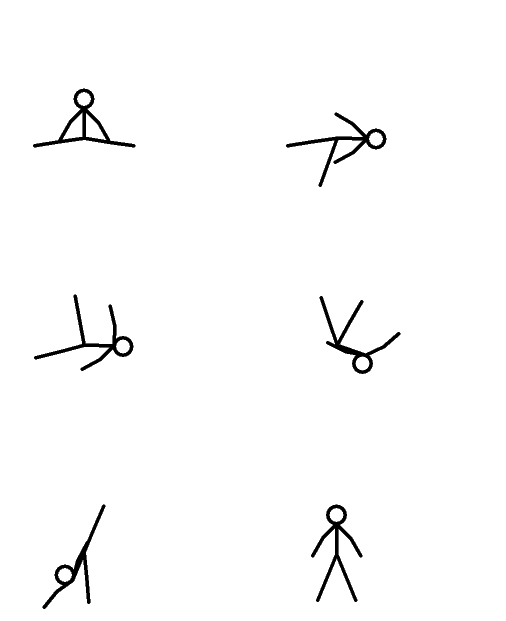
Beginners, post your Pivot animations here.
Started by: Paperclip | Replies: 34,531 | Views: 1,500,515 | Closed
Jul 4, 2008 2:00 AM #176358
Jul 4, 2008 2:02 AM #176362

Its just a guy doing flips and jumps...Tips?
This is my first Pivot. Also, how do you actually post the animation without clicking on it, like how Mironic had done it.
Whoops, I meant how do you post the animation in this thread, and people can see it without clicking on it.
Oh ok, thanks spartan!
Jul 4, 2008 2:04 AM #176366
actruly its a smooth thingy hes not fliping or jumping lmao
Jul 4, 2008 3:22 AM #176465
Quote from Called
Its just a guy doing flips and jumps...Tips?
This is my first Pivot. Also, how do you actually post the animation without clicking on it, like how Mironic had done it.
Whoops, I meant how do you post the animation in this thread, and people can see it without clicking on it.
He flipped/jumped or whatever way too fast, lol. Make it slower and smoother.
EDIT: I didn't want to double post, but i wanted to add an animation, so here:

Sniper Test.
Yeah, i know i messed up on the building leveling. Too many layers -.-'. And he put down the gun wierd.
COMMENT PLEASE ^_^
Jul 4, 2008 9:32 AM #176786
he moves the cursor too much it looks like he is sick.
nettox
Posts: 0
Joined: Jan 2026
Posts: 0
Joined: Jan 2026
Jul 4, 2008 1:46 PM #177141
Hi is my again ^^ this my new pivot animation, If u can pls rank and cc :Embarrassed:

Jul 4, 2008 5:05 PM #177264
Those effects are pretty sweet :D
But you really need to work on stiffness, physics, and easing.
Easing is essentially when an object gains speed then decreases. It's hard to explain with words so I will try and show you with a little diagram:
No easing:
|-|-|-|-|-|-|-|-|
Easing:
|-|--|---|---|--|-|
Stiffness is when you don't move a joint of the stickfigure for a certain amount of frames and basically ruins you'r animation. To fix this, move every joint of the figure each frame. Even moving it a tiny bit will help.
I'm not good at explaing things like physics, so ask somone else or look at some tutorials >_<
Hope this helped you a bit.
Keep trying and you will get better ;D
But you really need to work on stiffness, physics, and easing.
Easing is essentially when an object gains speed then decreases. It's hard to explain with words so I will try and show you with a little diagram:
No easing:
|-|-|-|-|-|-|-|-|
Easing:
|-|--|---|---|--|-|
Stiffness is when you don't move a joint of the stickfigure for a certain amount of frames and basically ruins you'r animation. To fix this, move every joint of the figure each frame. Even moving it a tiny bit will help.
I'm not good at explaing things like physics, so ask somone else or look at some tutorials >_<
Hope this helped you a bit.
Keep trying and you will get better ;D
nettox
Posts: 0
Joined: Jan 2026
Posts: 0
Joined: Jan 2026
Jul 4, 2008 5:25 PM #177278
Ok, thx I think I understand :D
Jul 4, 2008 8:07 PM #177452
Quote from ssshe moves the cursor too much it looks like he is sick.
Yeah he did..I'll slow it down a bit next time.
Did anyone notice that he targeted the little kid and was gonna shoot him until the bus showed up? LOL, i'm fckd up xD .
Jul 4, 2008 10:37 PM #177601

Old one.... I know it's ghey, but i don't care... i was bored and decided to post it...
Jul 5, 2008 5:41 AM #177896
Hey guys I'm new to animation so If could give me tips on animating kung fu fighting scenes
:Spiderman:
:Spiderman:
Jul 5, 2008 5:42 AM #177897
Please give me tips
Jul 5, 2008 7:39 AM #177966
put some of your work here,then we will be able to give you tips
J00
Posts: 0
Joined: Jan 2026
Posts: 0
Joined: Jan 2026
Jul 5, 2008 9:44 PM #178575
Well I've been experimenting with Pivot for about two days and I'm getting the hang of some of the basics. I'm totally crap but I hope someone can tell me what fields I need to work on, eg - smoothness, easing, spacing, effects and other things.
Here is my first proper animation aside from testing effects,etc.http://img79.imageshack.us/my.php?image=fightoveraxexf4.gif
Here is my first proper animation aside from testing effects,etc.http://img79.imageshack.us/my.php?image=fightoveraxexf4.gif
cwlilg
Posts: 0
Joined: Jan 2026
Posts: 0
Joined: Jan 2026
Jul 5, 2008 11:11 PM #178653

Please give me tips. I thought i would test how well i animate guns. Tell me what you think.